

How to correct spelling, grammar and syntax in your text
The Correct spelling and syntax tool proofreads your text with AI and proposes each correction one by one: you accept or reject it, your styles are kept, and nothing changes without your click.
What you need
- ETeext PRO, or the free 21-day trial.
- A Gemini API key, created on Google AI Studio: see how to get and save your key. The key stays in your browser; the app sends it only to Google, to proofread.
- Without PRO, the checks that don’t use AI (numbering, brackets, styles) stay free.
1. Save your key, once and for all
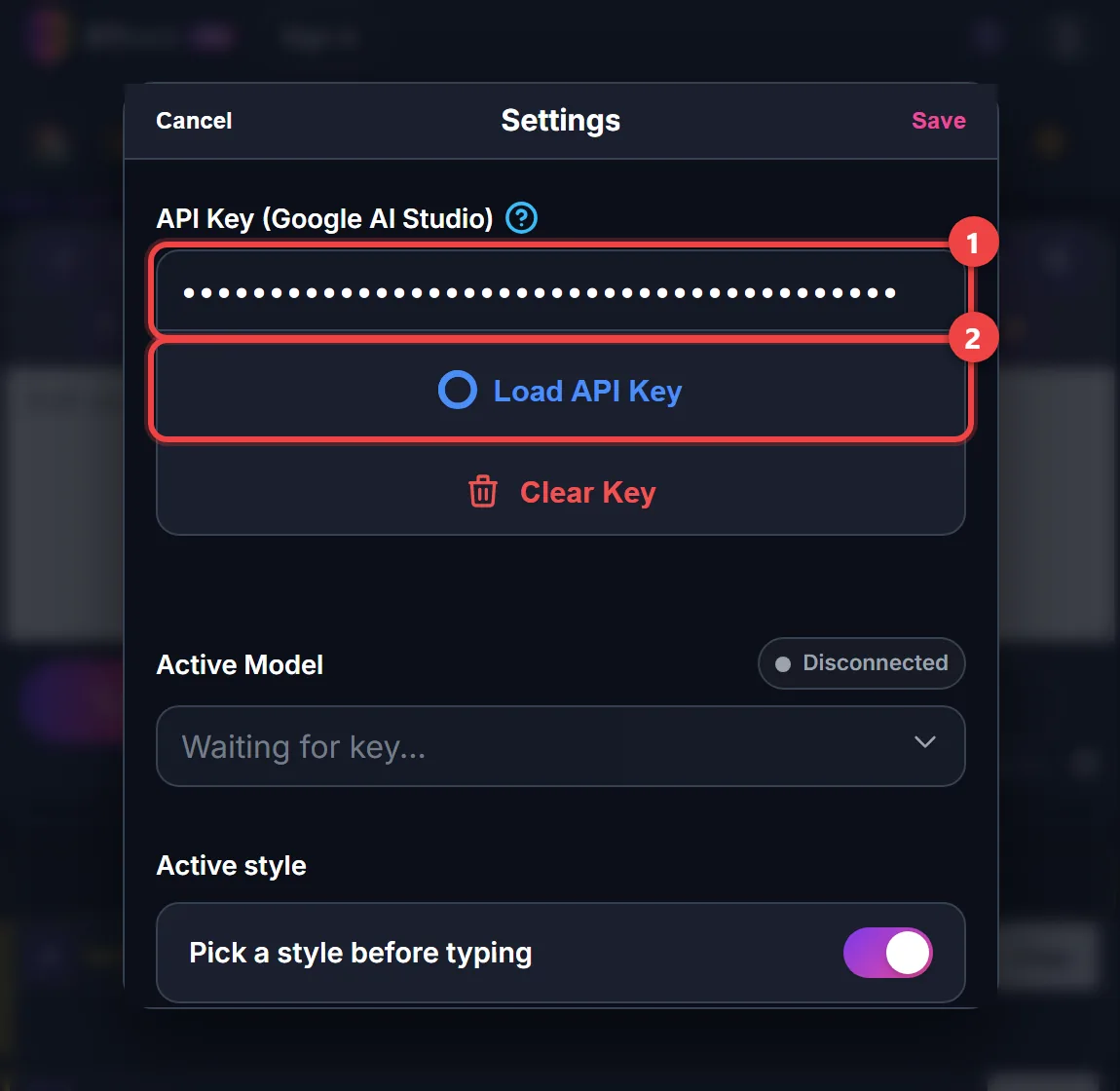
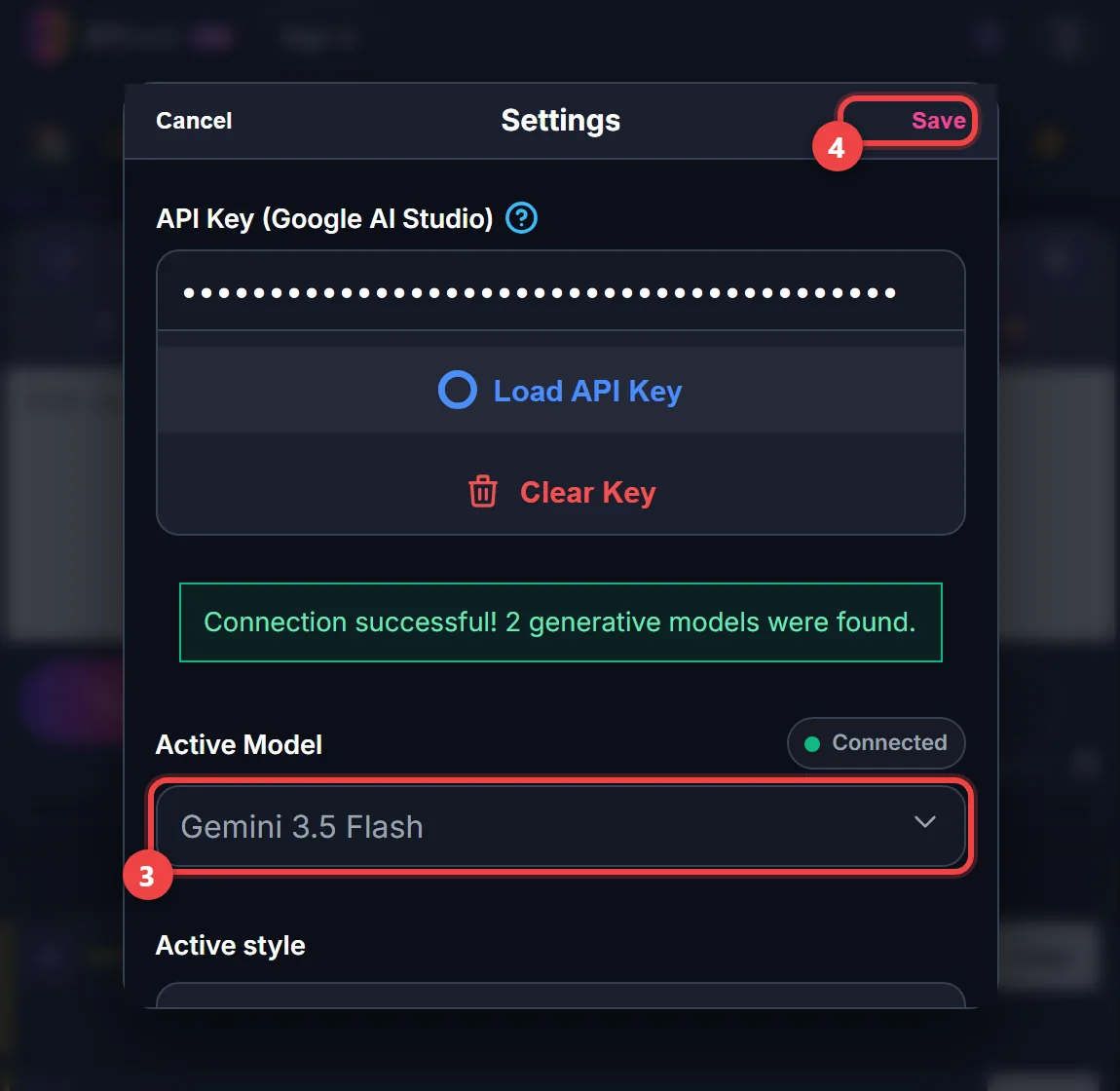
Settings → API Key (Google AI Studio): paste your key, then Load API Key. Choose the Active Model, then Save.
2. Write or paste your text
In the editor, styled or not.
3. Start the proofreading
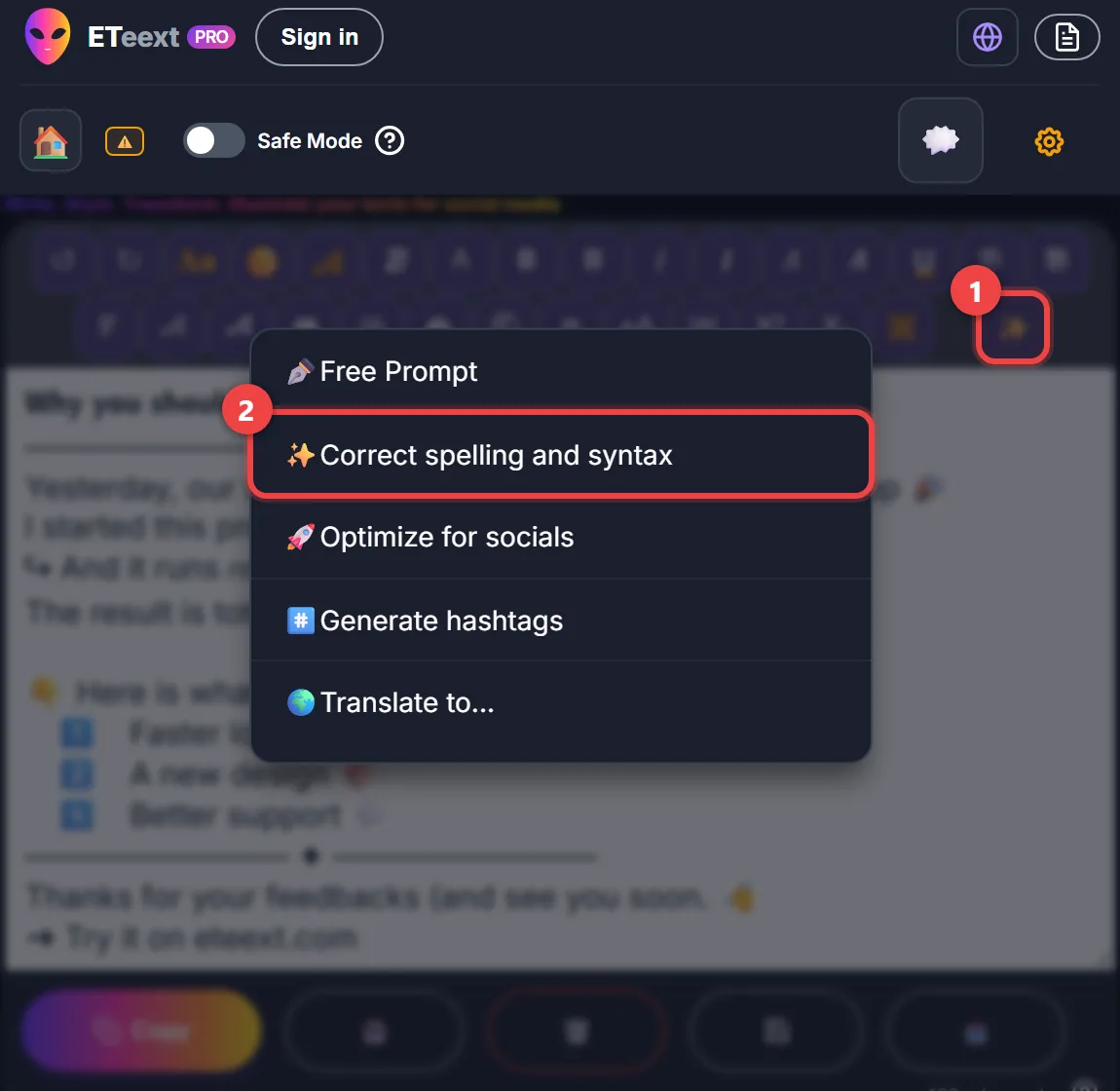
Menu ✨ → Correct spelling and syntax. The Proofreading window opens after the AI’s first reading; a second reading can add suggestions.
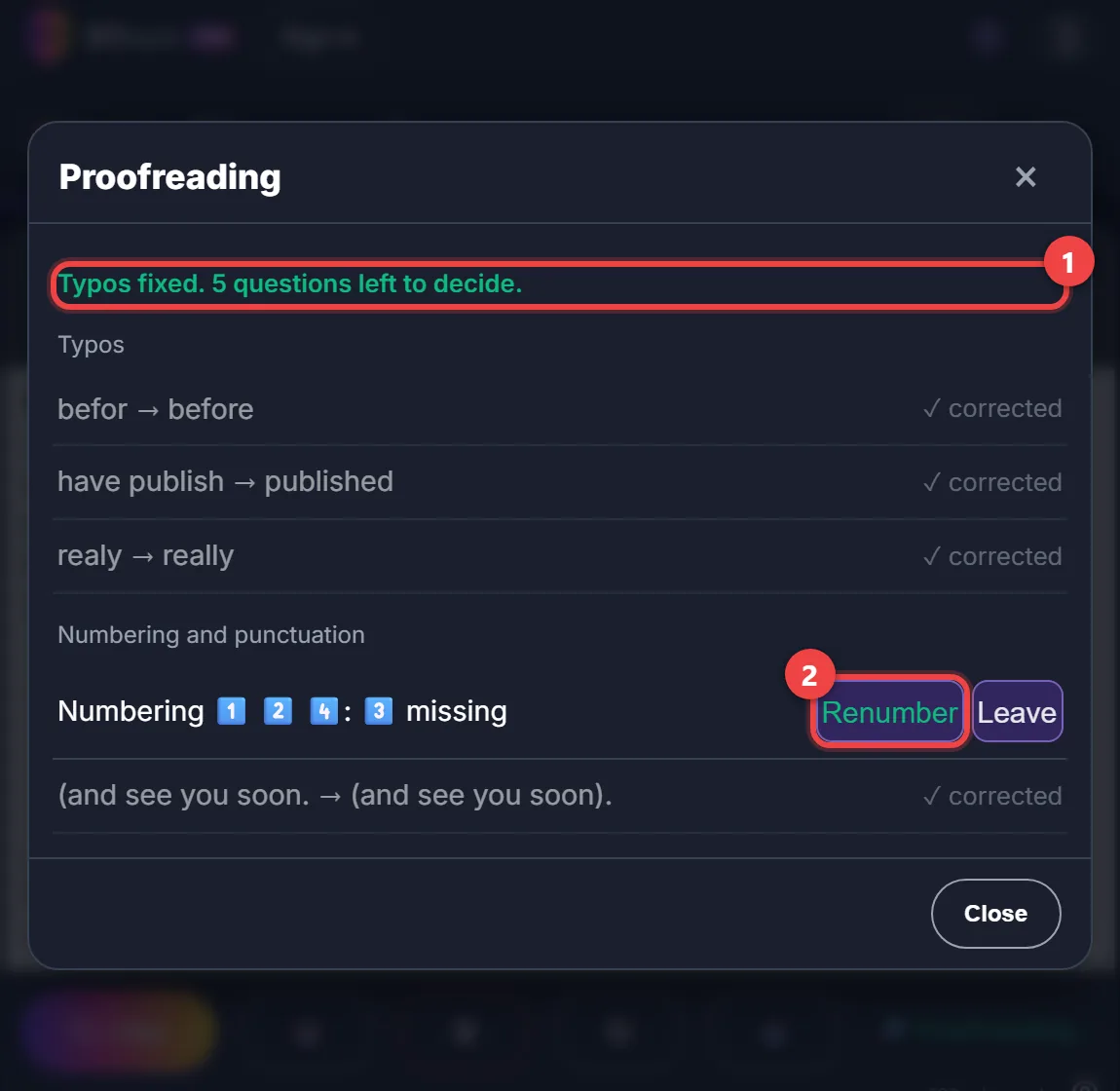
4. Typos
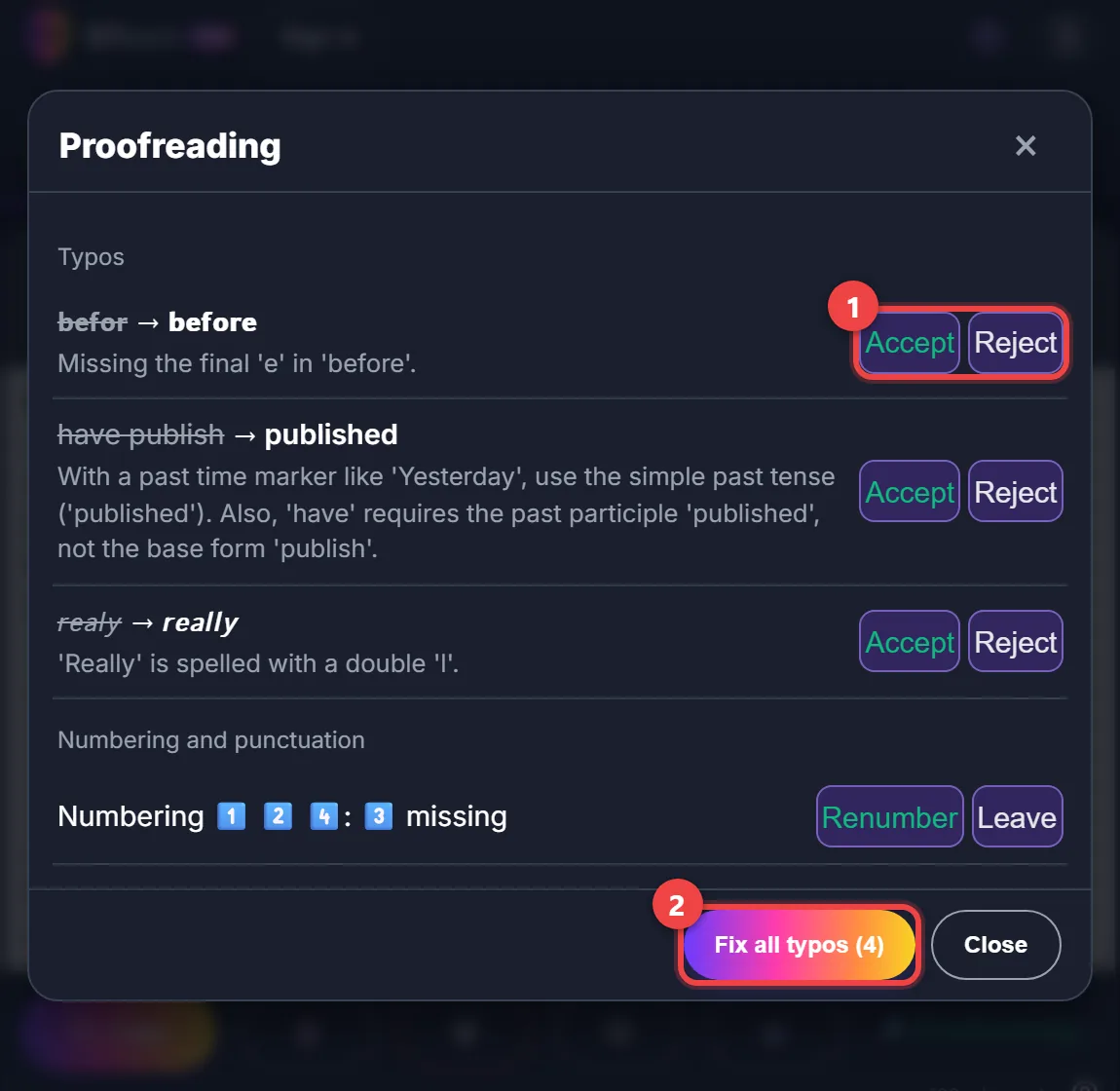
Each line shows before → after: Accept or Reject, or everything at once with Fix all typos. A corrected word keeps its style (a bold word stays bold), and nothing else in your text changes.
5. Questions, one by one
The AI never settles these for you:
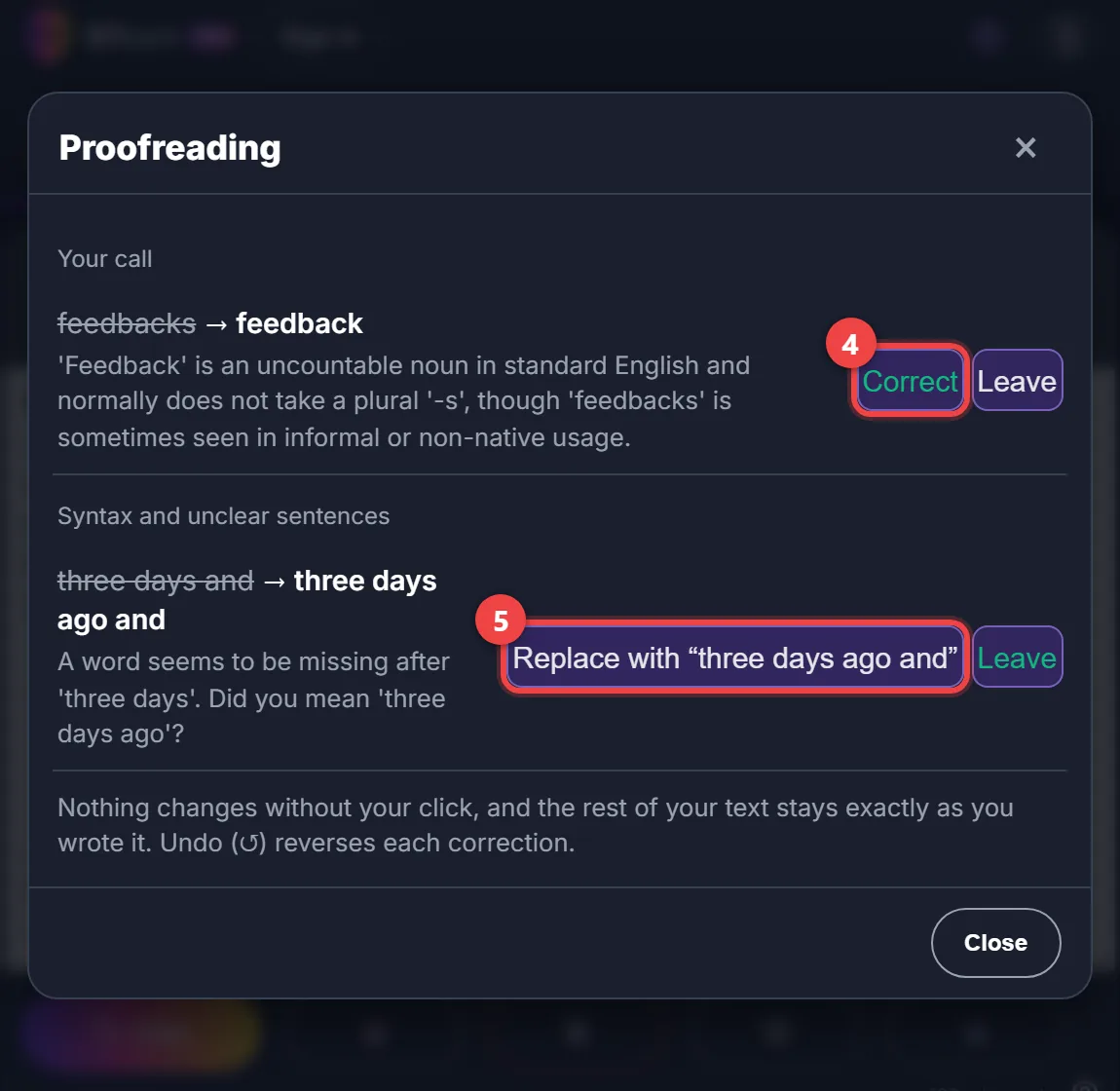
- Syntax and unclear sentences: a missing word or a clumsy sentence → Replace with “…” or Leave.
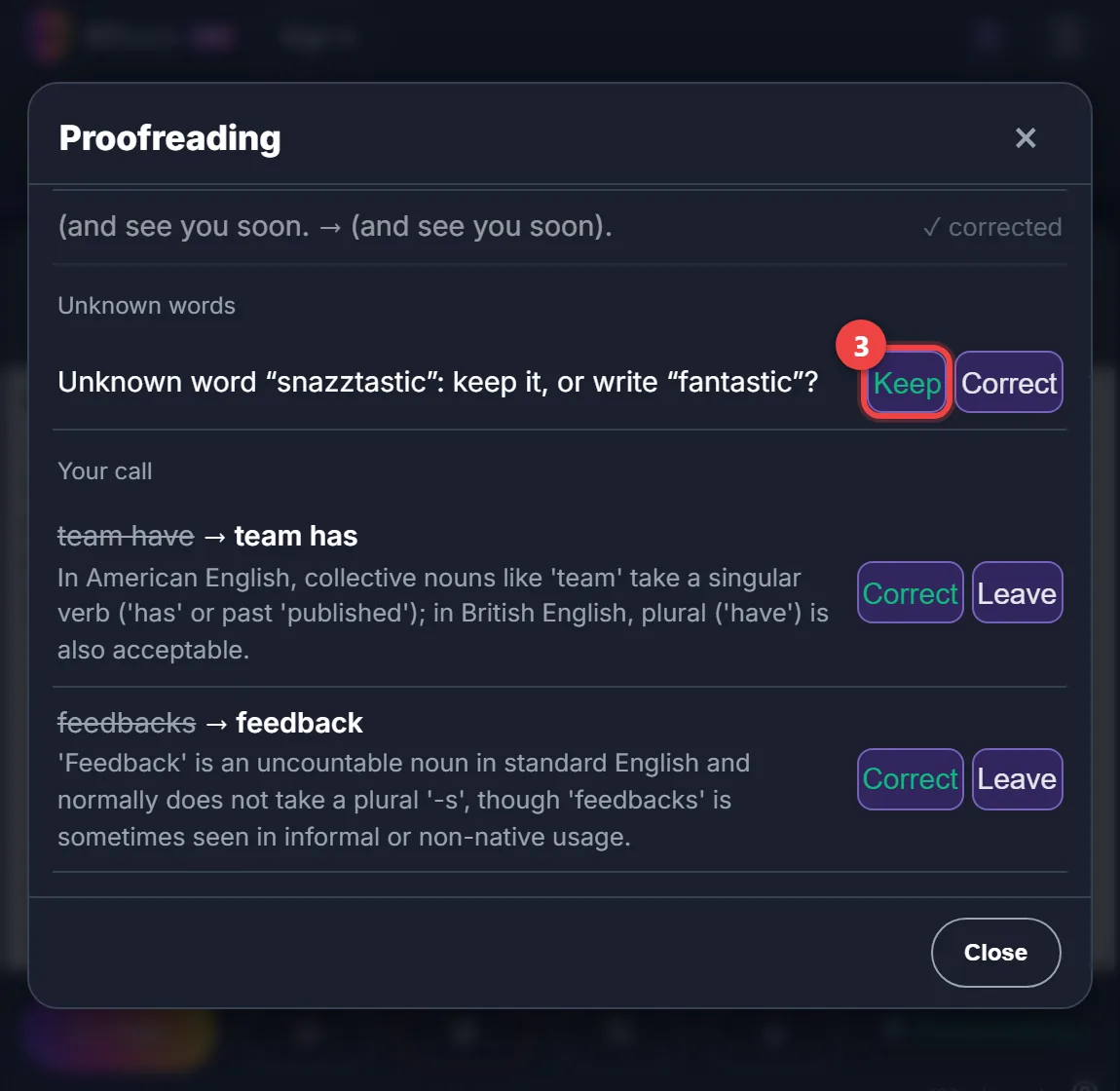
- Unknown words: an invented word, or one written on purpose → Keep (it won’t be flagged again) or Correct.
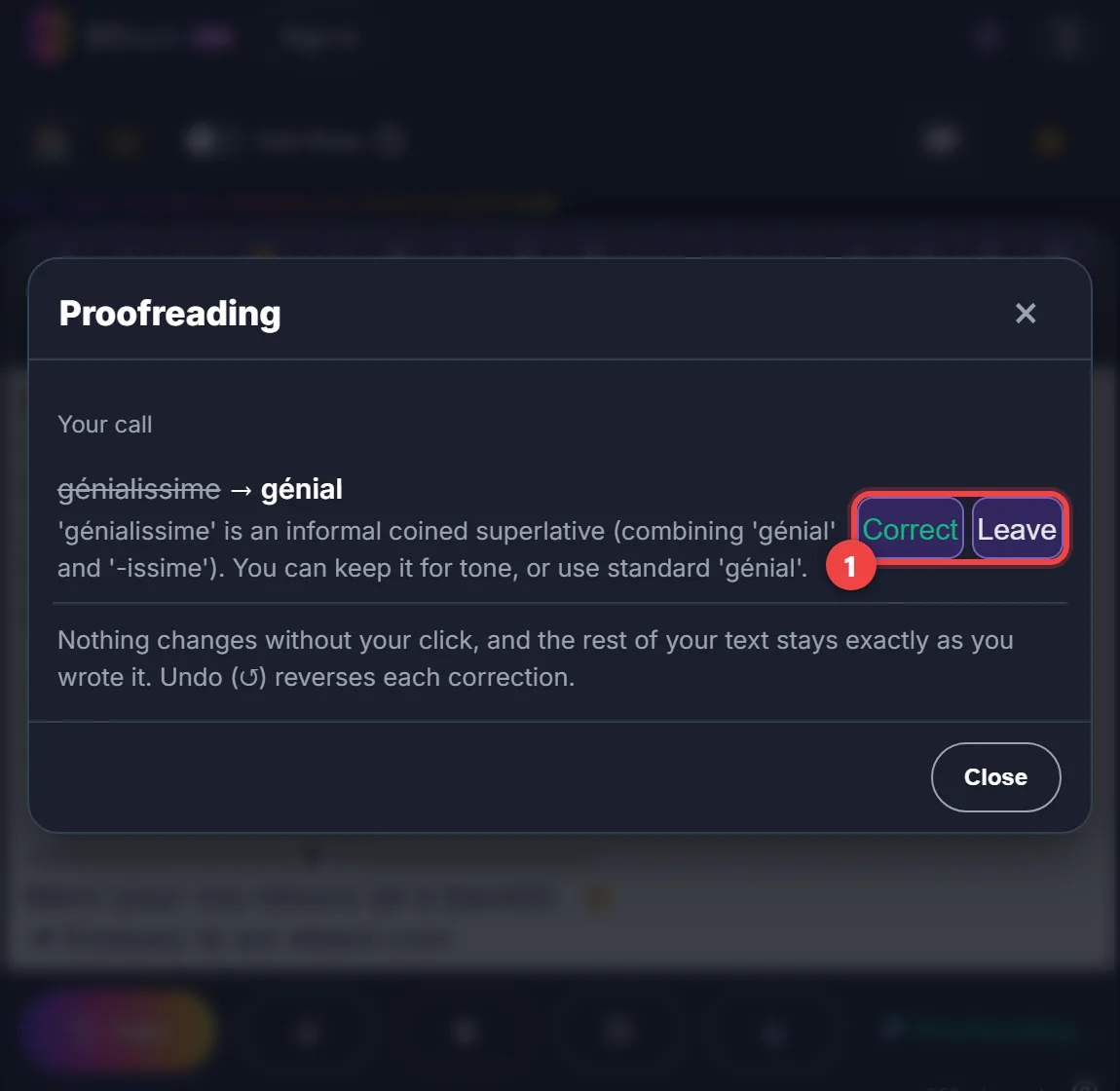
- Your call: a debatable usage → Correct or Leave.
- Numbering and punctuation: a missing number → Renumber; a bracket never closed → Accept.
After Fix all typos, the window says how many questions are left, and closes on its own when there are none.
6. Go back
The editor’s Undo button (↺) reverses each correction. Words you kept are listed in Settings → Words kept during AI proofreading → Show, where Remove takes one off the list.
7. Bonus: translate, then proofread again
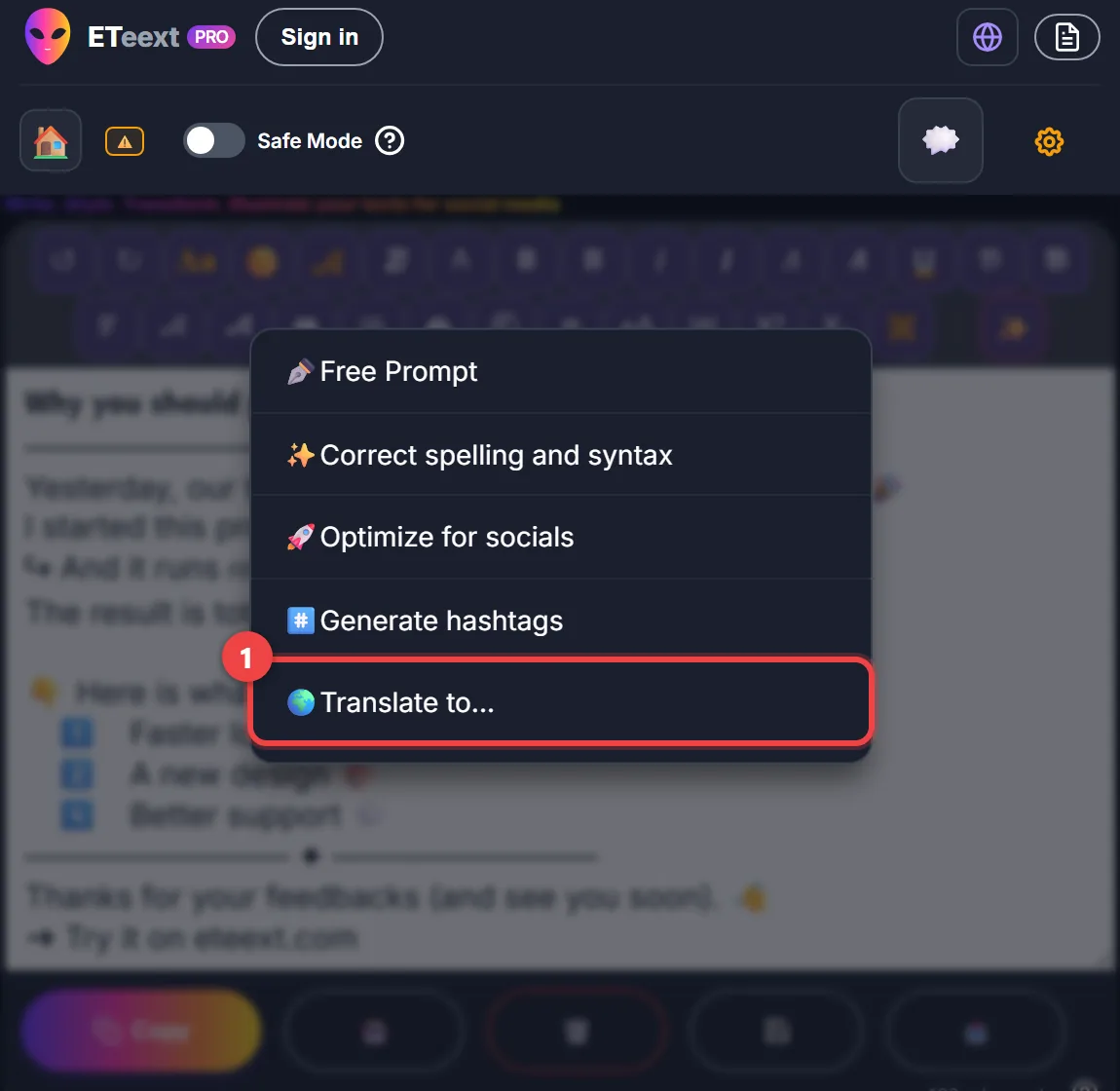
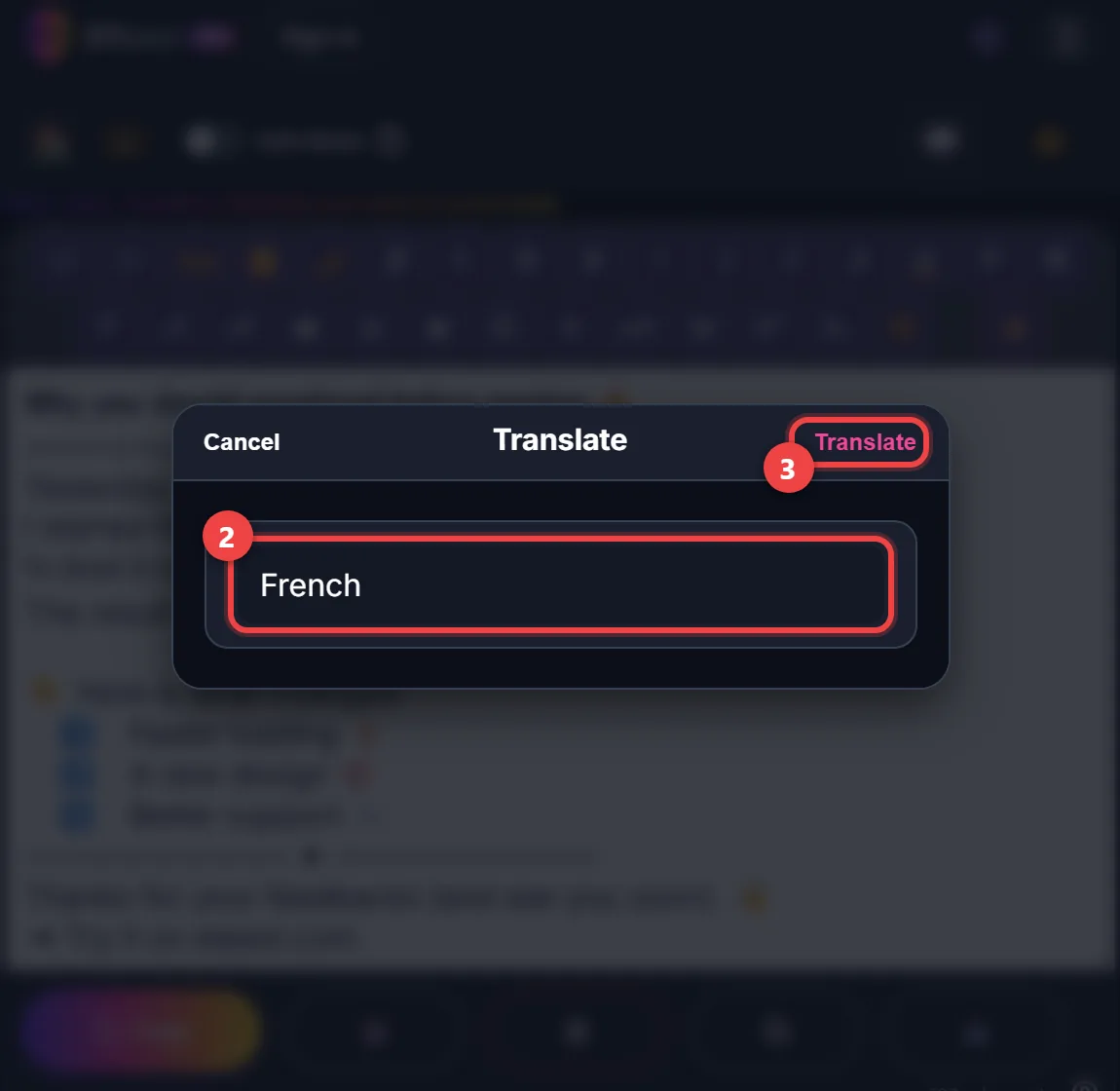
Menu ✨ → Translate to... → type the language (here French) → Translate. Styles and numbers follow.
Then run Correct spelling and syntax on the translation: a phrasing carried over from the original can become a mistake in the other language.
The example in the screenshots
A text invented for the occasion, with mistakes on purpose.
Before
𝗪𝗵𝘆 𝘆𝗼𝘂 𝘀𝗵𝗼𝘂𝗹𝗱 𝗽𝗿𝗼𝗼𝗳𝗿𝗲𝗮𝗱 𝗯𝗲𝗳𝗼𝗿 𝗽𝗼𝘀𝘁𝗶𝗻𝗴 ✍️
──────────── ✦ ────────────
Yesterday, our team have publish the n̲e̲w̲ v̲e̲r̲s̲i̲o̲n̲ of the app 🎉
I started this project three days and it's already live.
↪ And it runs 𝘳𝘦𝘢𝘭𝘺 fast!
The result is totally snazztastic ✨

👇 Here is what changed:
 1️⃣ Faster loading ⚡
 2️⃣ A new design 🎨
 4️⃣ Better support 💬
──────────── ✦ ────────────
Thanks for your feedbacks (and see you soon. 👋
➜ Try it on eteext.com
After proofreading
𝗪𝗵𝘆 𝘆𝗼𝘂 𝘀𝗵𝗼𝘂𝗹𝗱 𝗽𝗿𝗼𝗼𝗳𝗿𝗲𝗮𝗱 𝗯𝗲𝗳𝗼𝗿𝗲 𝗽𝗼𝘀𝘁𝗶𝗻𝗴 ✍️
──────────── ✦ ────────────
Yesterday, our team published the n̲e̲w̲ v̲e̲r̲s̲i̲o̲n̲ of the app 🎉
I started this project three days ago and it's already live.
↪ And it runs 𝘳𝘦𝘢𝘭𝘭𝘺 fast!
The result is totally snazztastic ✨

👇 Here is what changed:
 1️⃣ Faster loading ⚡
 2️⃣ A new design 🎨
 3️⃣ Better support 💬
──────────── ✦ ────────────
Thanks for your feedback (and see you soon). 👋
➜ Try it on eteext.com
Translated into French
𝗣𝗼𝘂𝗿𝗾𝘂𝗼𝗶 𝘃𝗼𝘂𝘀 𝗱𝗲𝘃𝗿𝗶𝗲𝘇 𝘃𝗼𝘂𝘀 𝗿𝗲𝗹𝗶𝗿𝗲 𝗮𝘃𝗮𝗻𝘁 𝗱𝗲 𝗽𝘂𝗯𝗹𝗶𝗲𝗿 ✍️
──────────── ✦ ────────────
Hier, notre équipe a publié la n̲o̲u̲v̲e̲l̲l̲e̲ v̲e̲r̲s̲i̲o̲n̲ de l'application 🎉
J'ai commencé ce projet il y a trois jours et il est déjà en ligne.
↪ Et il tourne 𝘷𝘳𝘢𝘪𝘮𝘦𝘯𝘵 vite !
Le résultat est totalement génialissime ✨

👇 Voici ce qui a changé :
 1️⃣ Un chargement plus rapide ⚡
 2️⃣ Un nouveau design 🎨
 3️⃣ Un meilleur support 💬
──────────── ✦ ────────────
Merci pour vos retours (et à bientôt). 👋
➜ Essayez-la sur eteext.com