Mirror text generator: copy & paste
Create Mirror text in seconds: type your text and ETeext turns it into Unicode you copy and paste anywhere. You see exactly what you get before pasting.
The mirror style flips letters as if seen in a looking glass, and even lets you write right to left. It's a surprise effect: perfect for an intriguing nickname, a visual game or a message meant to be "decoded." More of a fun curiosity than a daily tool, it grabs attention precisely because it throws you off. Keep it to short words and check the render: the flip relies on special characters that don't display everywhere.

What Mirror text look like
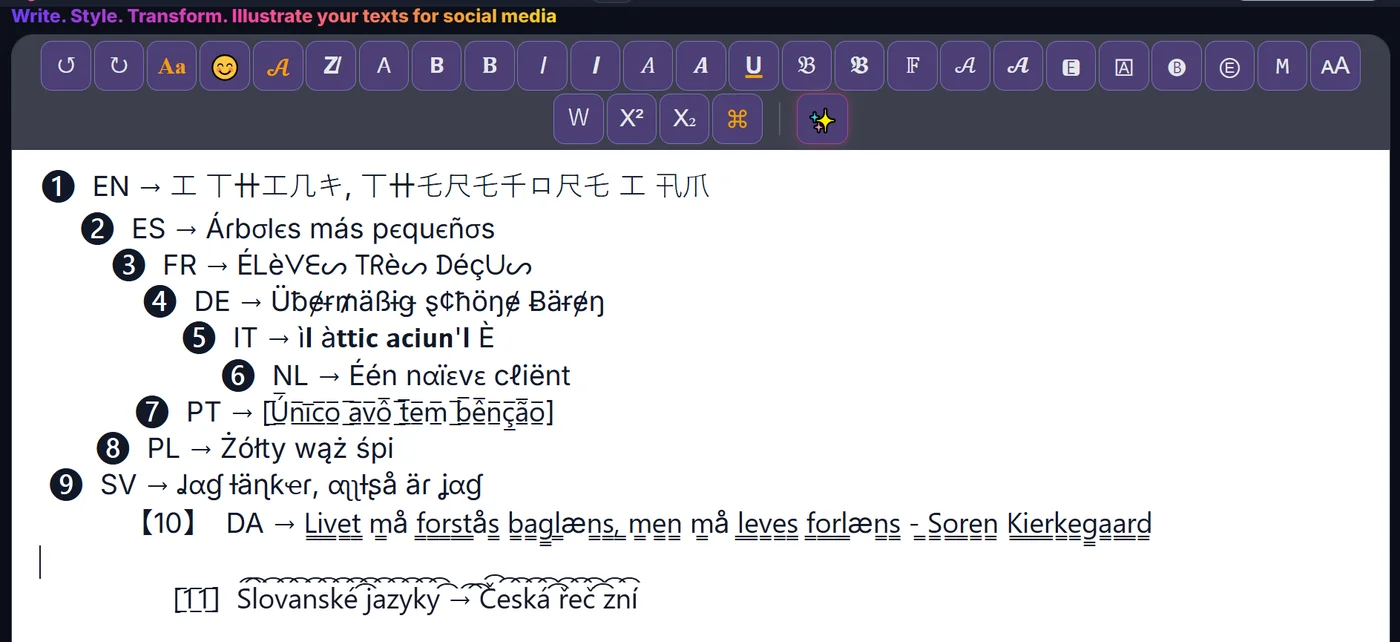
How to make Mirror text
- Type or paste your text Write your text in ETeext.
- Pick the style and check it Choose this style; the styled version appears instantly.
- Copy and paste anywhere Copy your styled text and paste it where you want.
Compatibility & Safe Mode
These characters are real Unicode. Safe Mode favours the most widely supported ones — turn it on and your text looks the same everywhere.
Why choose ETeext
-
See it before you paste
WYSIWYG: what you see is what you can use and take anywhere — social networks, messaging, all kinds of apps…
-
As easy as a word processor
The ease of a word processor — for stylish text.
-
Whole paragraphs, many styles
Multiple styles in a whole paragraph — not just one line.
-
Offline-first
Everything stays on your device, even offline.
-
No ads, no tracking
No ads, no tracking. Your text stays on your device — except the optional AI.
Frequently asked questions
Mirror text: what is it?
Mirror text: styled Unicode characters that look different from normal letters but stay real, copyable text.