Italic fonts generator: copy & paste
Create Italic fonts in seconds: type your text and ETeext turns it into Unicode you copy and paste anywhere. You see exactly what you get before pasting.
Italic and cursive are not the same thing. Italic slants upright letters to the right without joining them: the classic emphasis style (𝘭𝘪𝘬𝘦 𝘵𝘩𝘪𝘴), ideal for highlighting a word in a post. Cursive imitates handwriting: rounded letters, a flowing joined look, elegant and decorative (𝓵𝓲𝓴𝓮 𝓽𝓱𝓲𝓼), perfect for a bio or a title. In short: italic to stress, cursive to charm.
Italic tilts letters to the right without joining them. It's the most readable way to add emphasis: it draws the eye without breaking the flow of reading — perfect for a quote, a foreign term or a nuance in a post. Don't confuse it with cursive (see above): italic stays upright letters, just leaning, not handwriting. Generally well supported; on older devices, turn on Safe Mode if you're aiming for a wide audience.

What Italic fonts look like
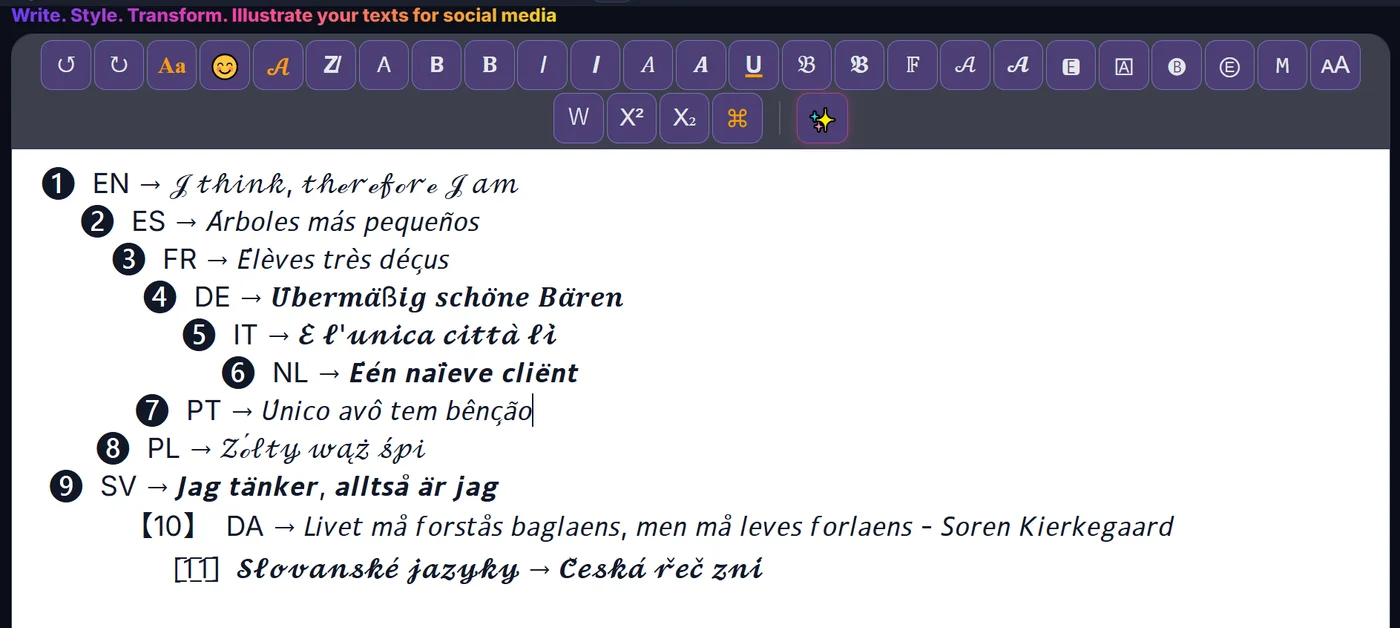
How to make Italic fonts
- Type or paste your text Write your text in ETeext.
- Pick the style and check it Choose this style; the styled version appears instantly.
- Copy and paste anywhere Copy your styled text and paste it where you want.
Compatibility & Safe Mode
These characters are real Unicode. Safe Mode favours the most widely supported ones — turn it on and your text looks the same everywhere.
Why choose ETeext
-
See it before you paste
WYSIWYG: what you see is what you can use and take anywhere — social networks, messaging, all kinds of apps…
-
As easy as a word processor
The ease of a word processor — for stylish text.
-
Whole paragraphs, many styles
Multiple styles in a whole paragraph — not just one line.
-
Offline-first
Everything stays on your device, even offline.
-
No ads, no tracking
No ads, no tracking. Your text stays on your device — except the optional AI.
Frequently asked questions
Italic fonts: what is it?
Italic fonts: styled Unicode characters that look different from normal letters but stay real, copyable text.
Italic fonts: does it work on Instagram, LinkedIn and other apps?
Yes — it’s real text you can paste into most social networks and messaging apps, like Instagram, TikTok, Facebook or WhatsApp. Display can vary by style and device — Safe Mode limits the risk.