
Find your ETeext version
To report an issue to support, include your app version — it speeds up diagnosis. Here’s where to find it.
Open Settings in the app. At the very bottom of the window you’ll see “ETeext” followed by a number, then “What’s new” — that number is your version.
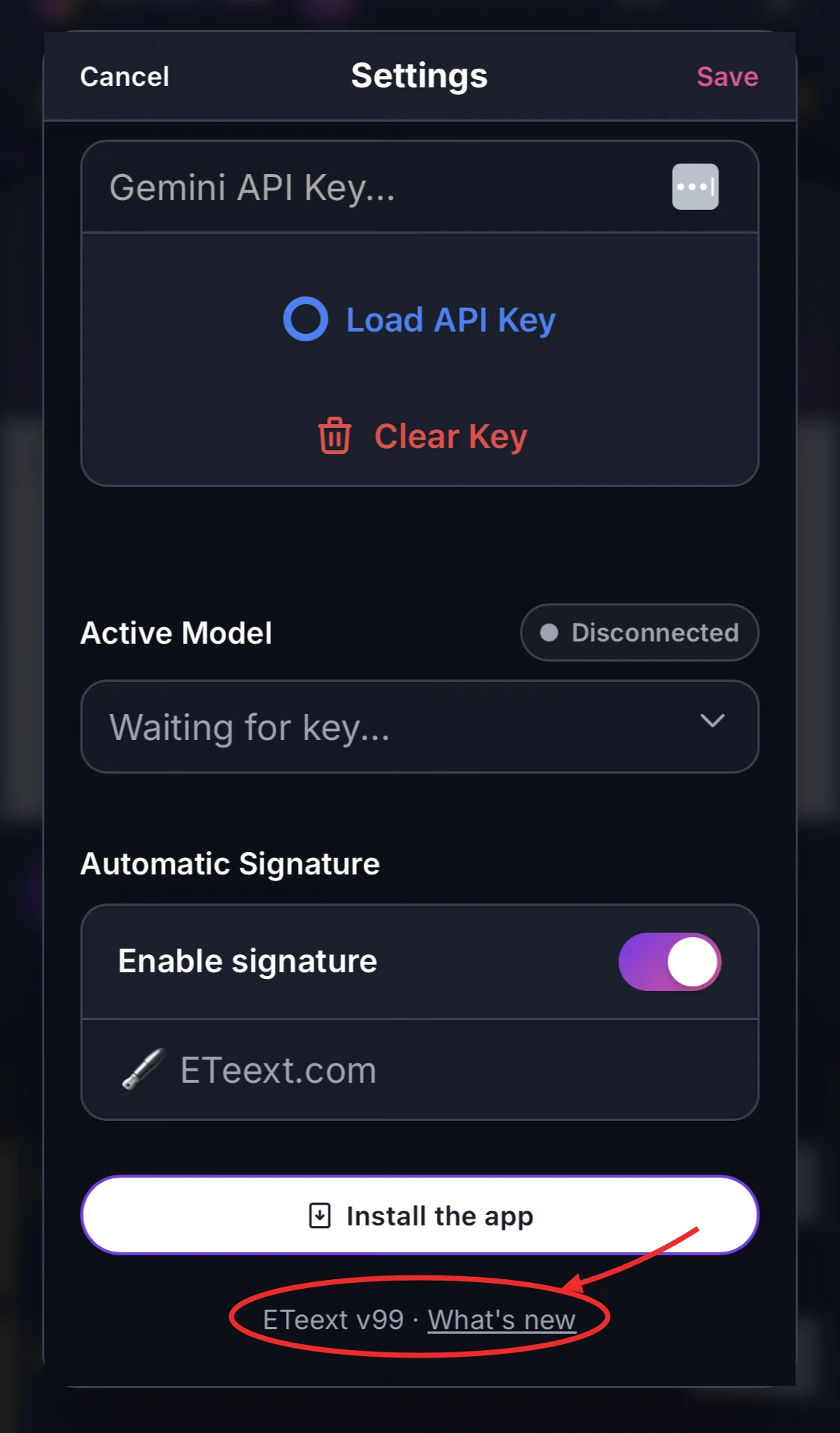
Tap the number to copy it (handy to paste into your support message). The link next to it opens What’s new, the list of what changed in each version.